
Overview of Updates – January 2019
Overview of Updates
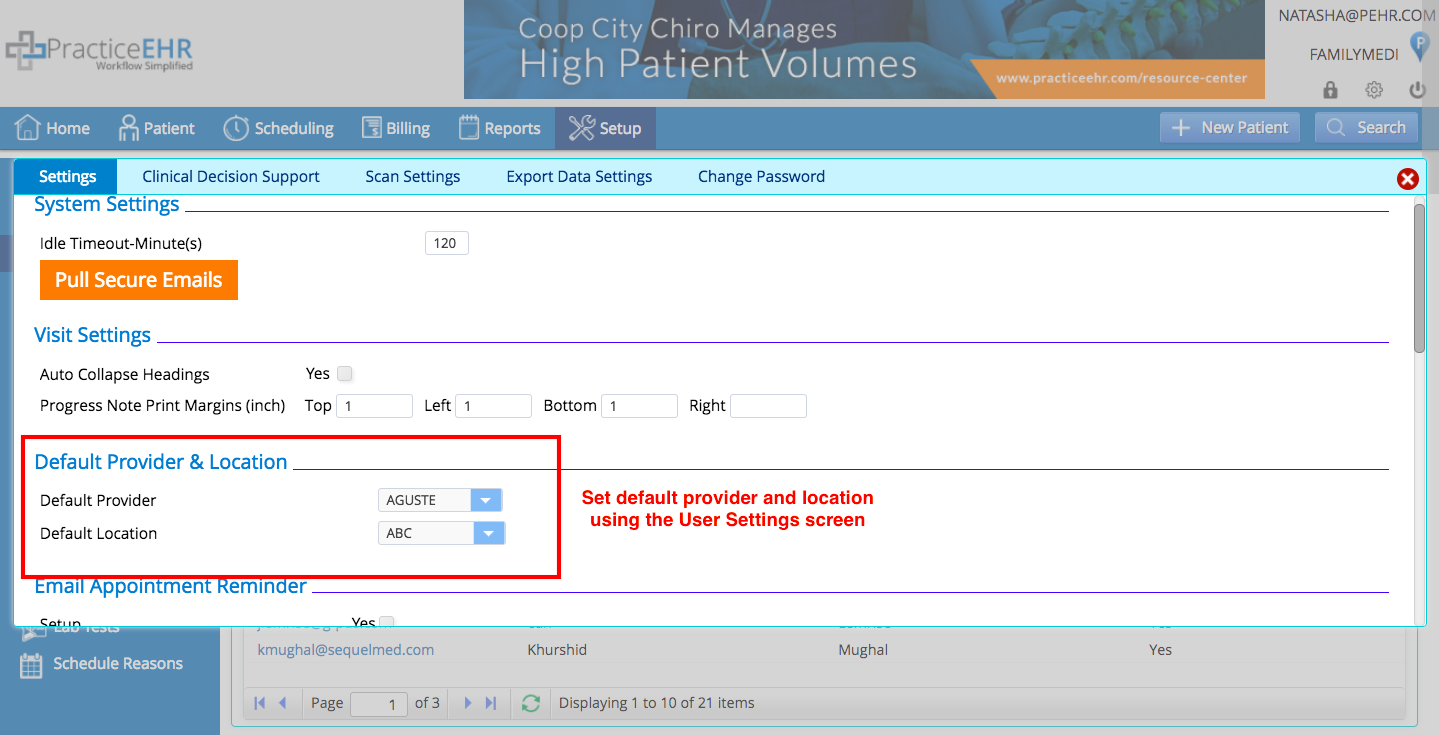
- 1. Setting Update – Set default provider and location using the user settings screen.
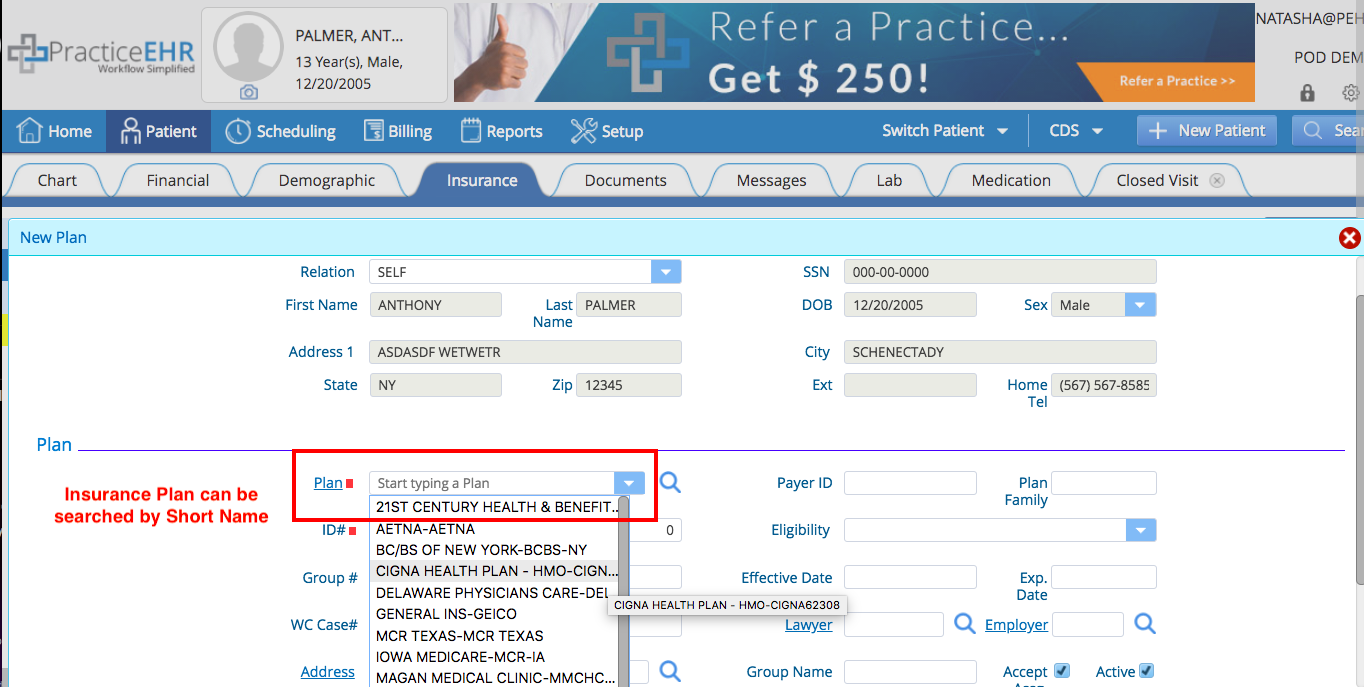
- 2. Front Desk – Plan search improved.
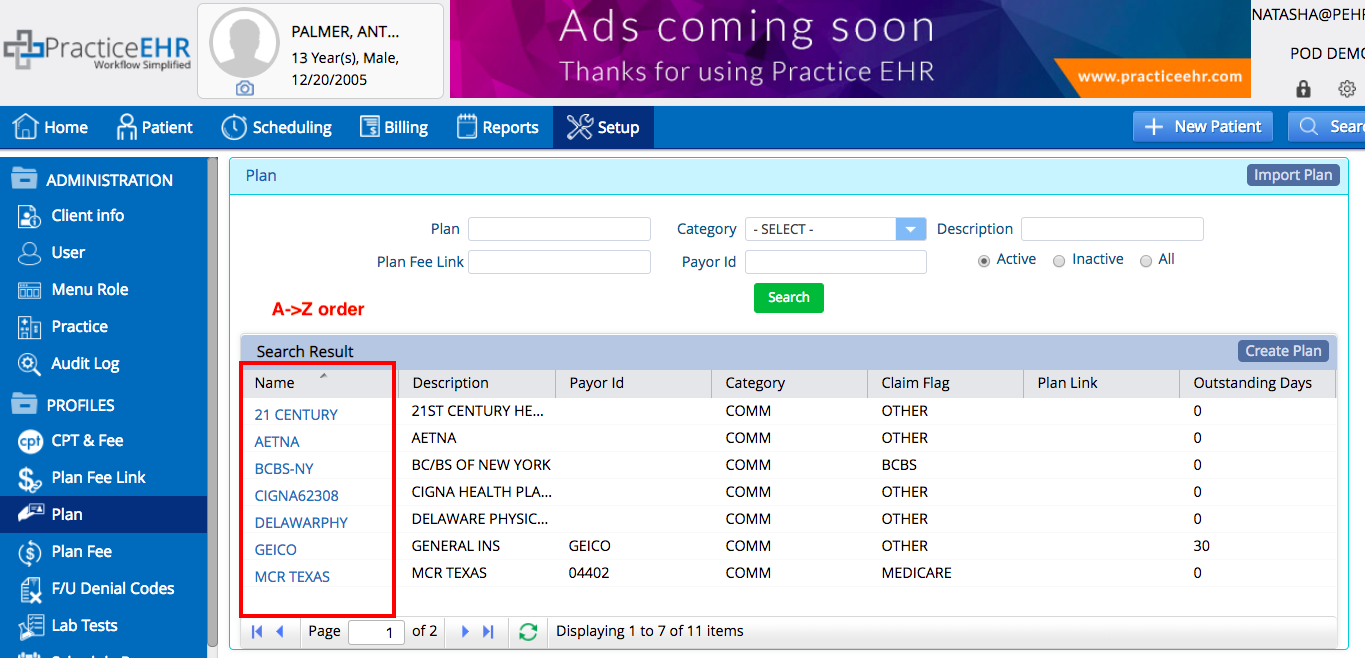
- 3. Front Desk – Ascending sort order for plan and referring provider search.
- 4. Front Desk – Print your scheduling day sheet.
- 5. Clinical – Text changes within Practice EHR.
- 6. Billing – Add codes directly to encounter form.
- 7. Billing – Export Plan and Patient Follow Up.
- 8. Billing – Print EDI history.
- 9. Billing – Redesign of reports section.
- 10. Billing – Access a list of payers.
1. Setting Update
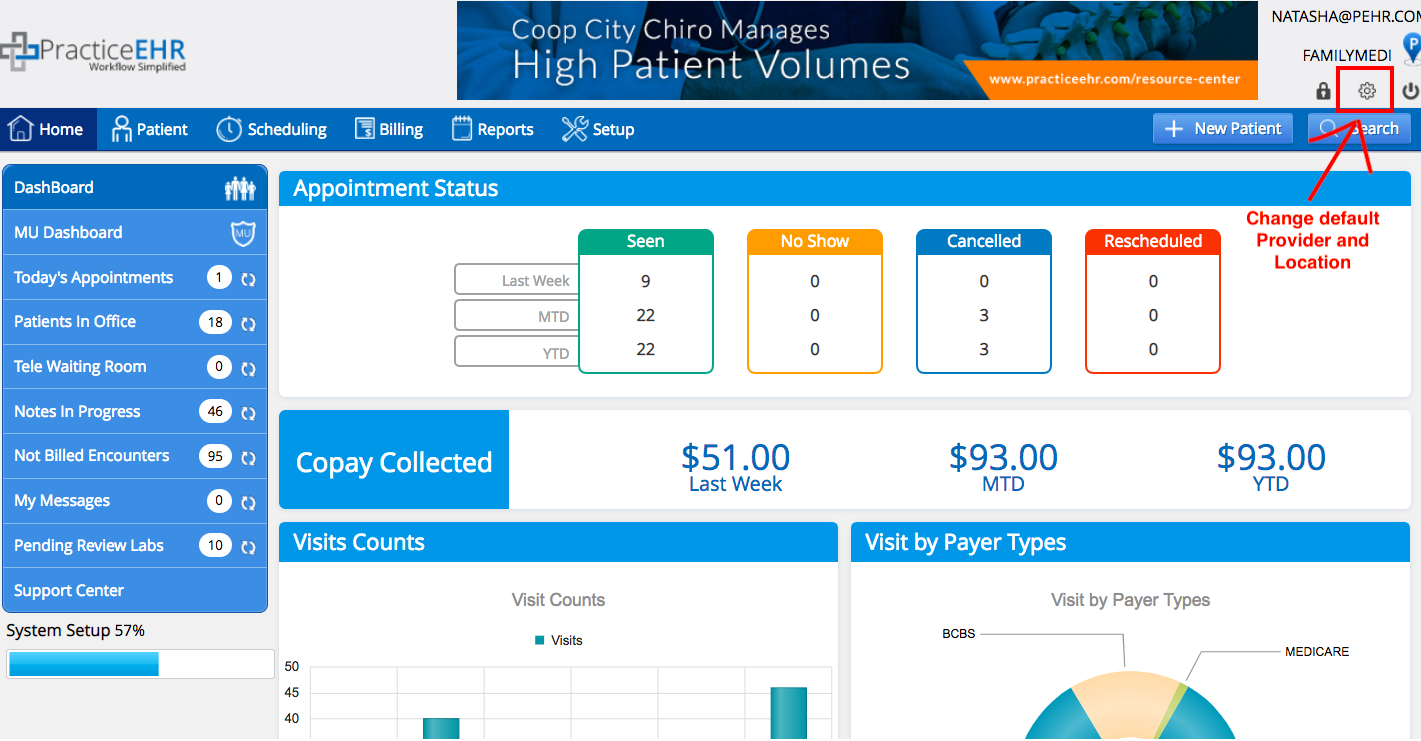
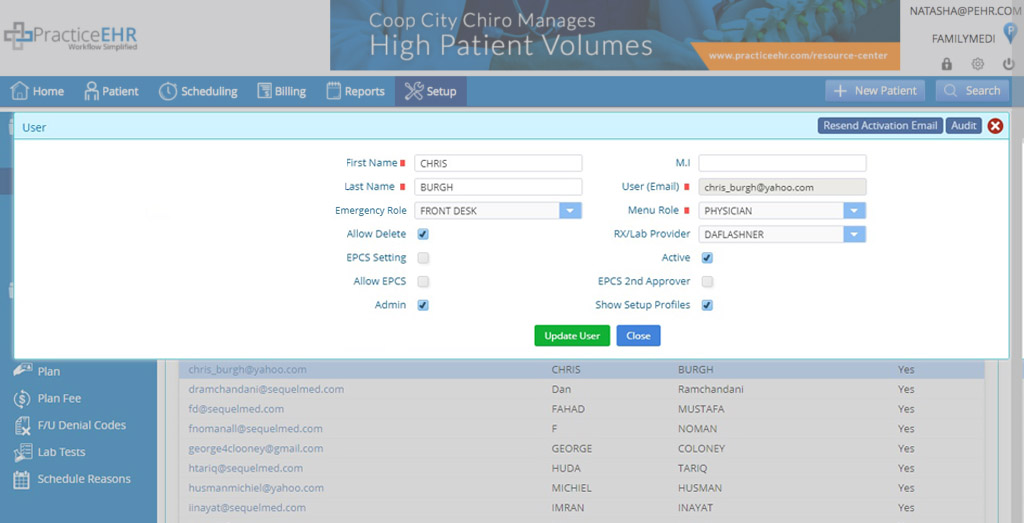
Set default provider and location using the user settings screen. This default provider and location will be selected as default in Dashboard, Scheduling, New Patient and Start Visit screens. **Each user will need to set the default provider/location when they log in for the first time following the update.**
This RX/Lab Provider will be selected as default in RX/Lab screens.
2. Front Desk
Plan search improved. Under the insurance tab, in the plan drop down, you will now be able to complete a search of insurance plans using the description and/or short name.
3. Front Desk
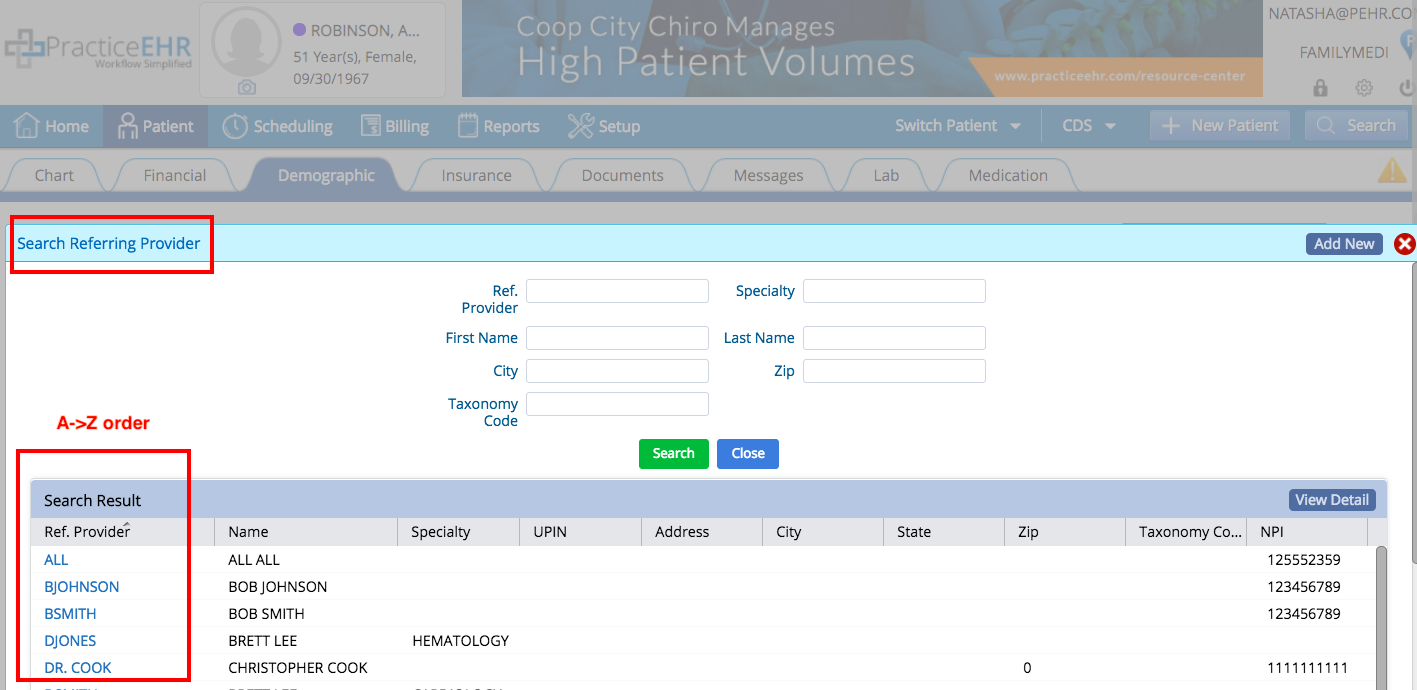
Ascending sort order for plan and referring provider search. Plans and referring provider searches will now appear in ascending order so you can find what you’re looking for quickly.
4. Front Desk
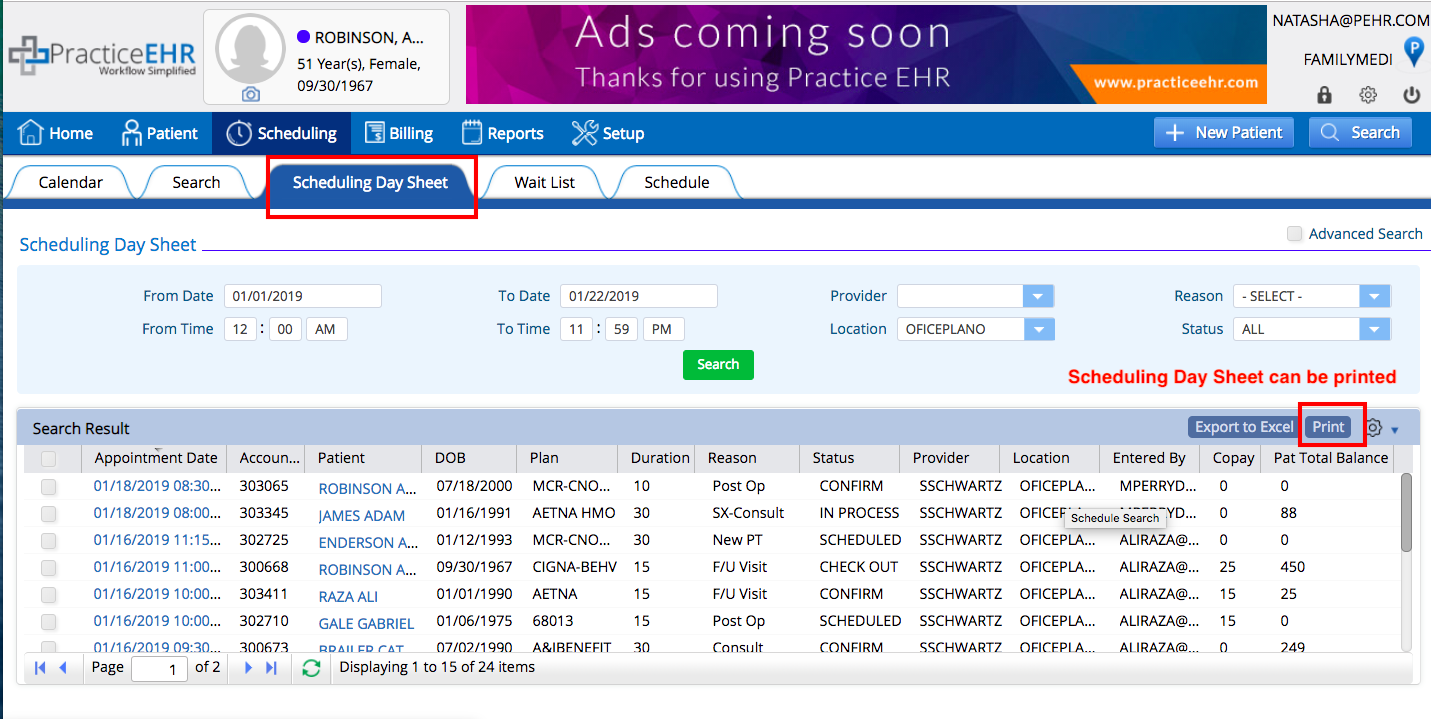
Print your scheduling day sheet. There is now a new print button available, giving you the ability to print your scheduling day sheet as needed.
5. Clinical
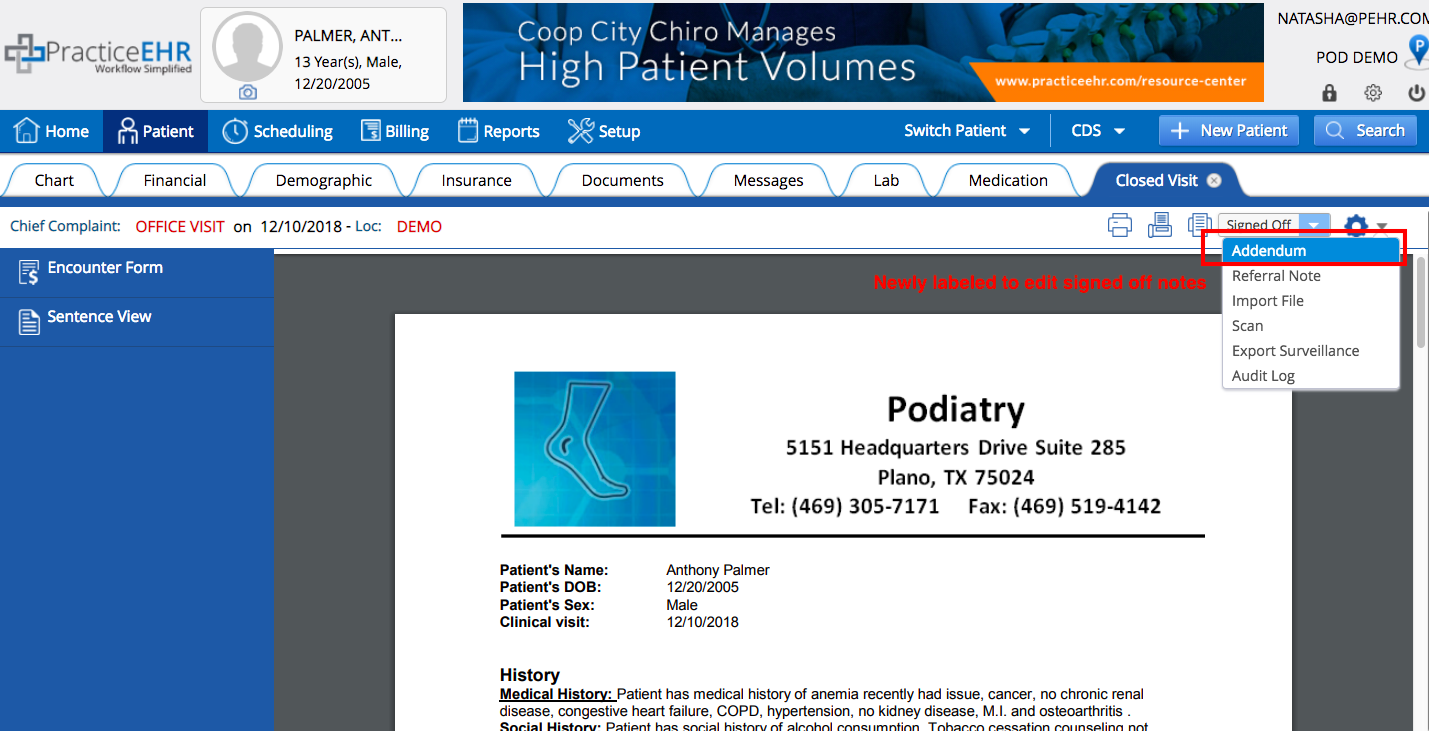
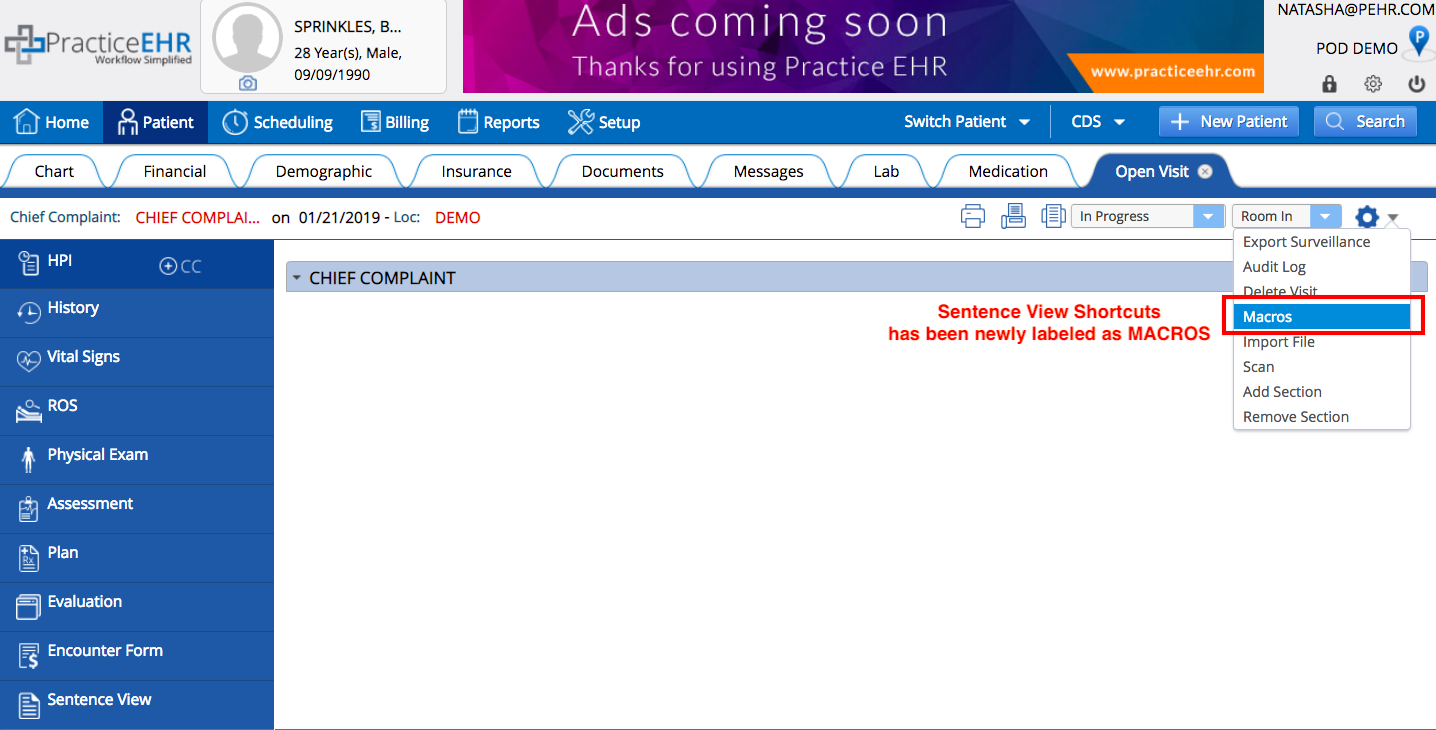
Text changes within Practice EHR. We’ve renamed a few options in Practice EHR to better reflect the meaning. Under the visit action menu, “edit close visit” has been renamed to “addendum” and “sentence view shortcuts” has been renamed to “macros”.
6. Billing
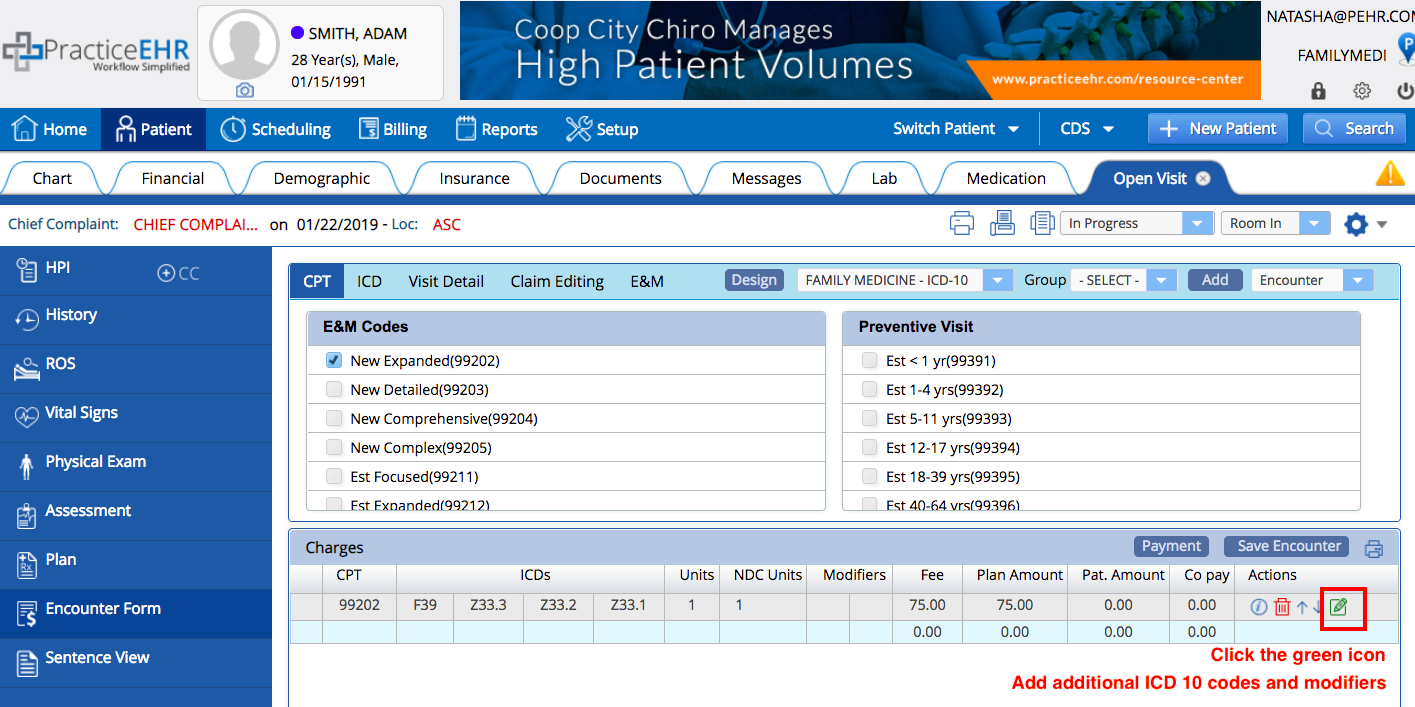
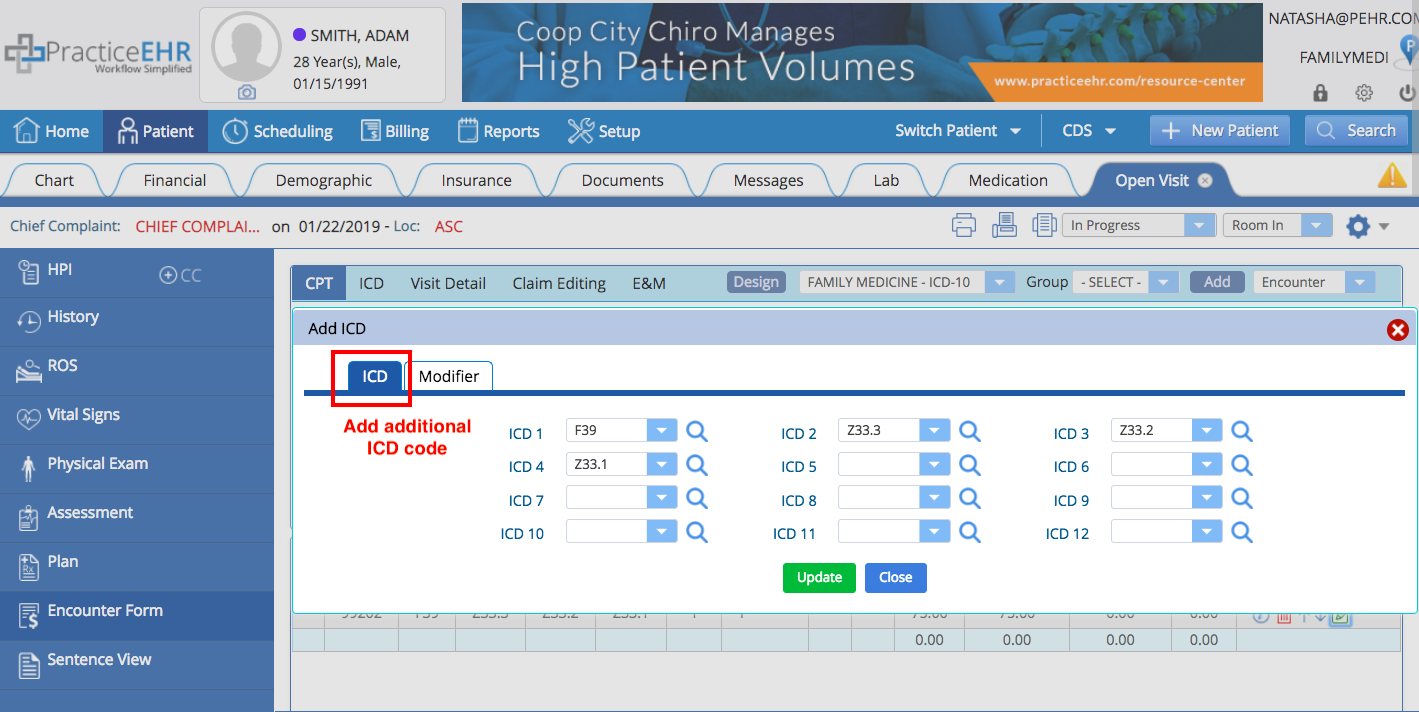
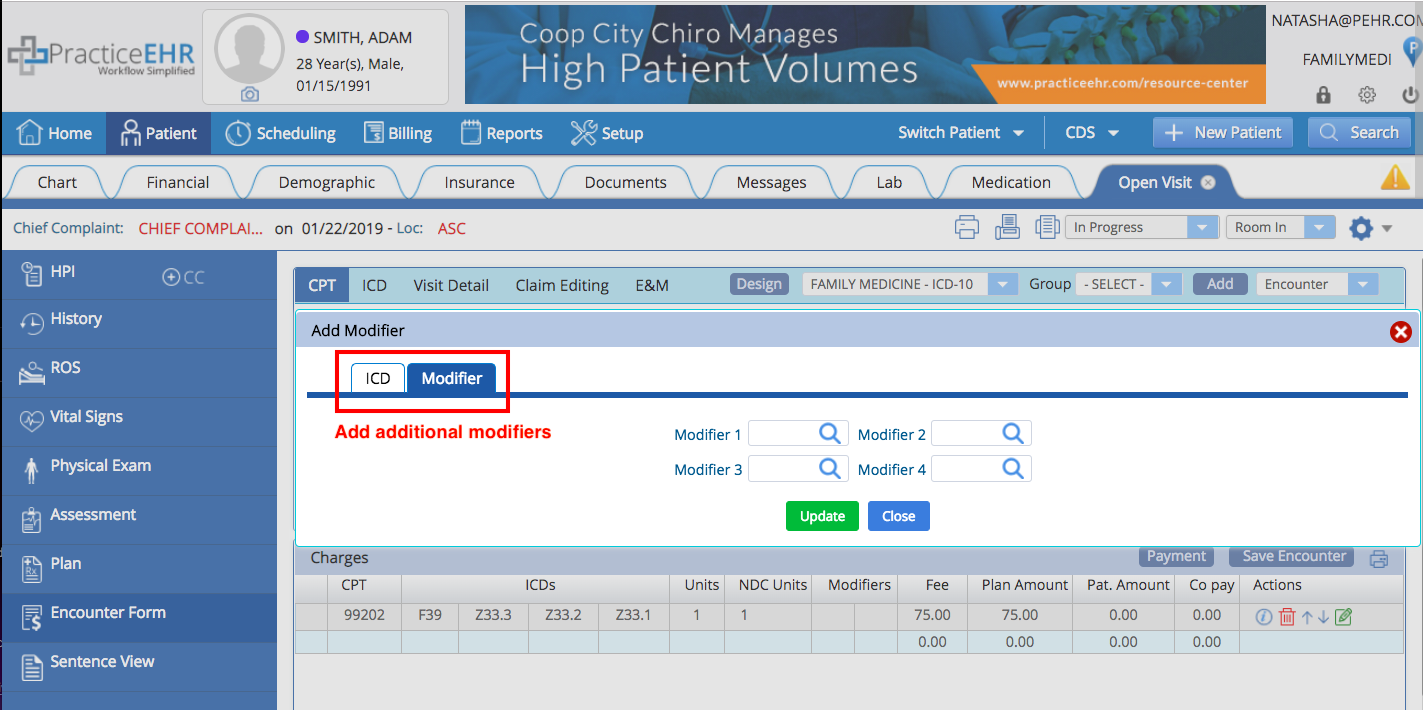
Add codes directly to encounter form. You will now have the ability to add additional modifiers and diagnosis codes directly on the encounter form.
7. Billing
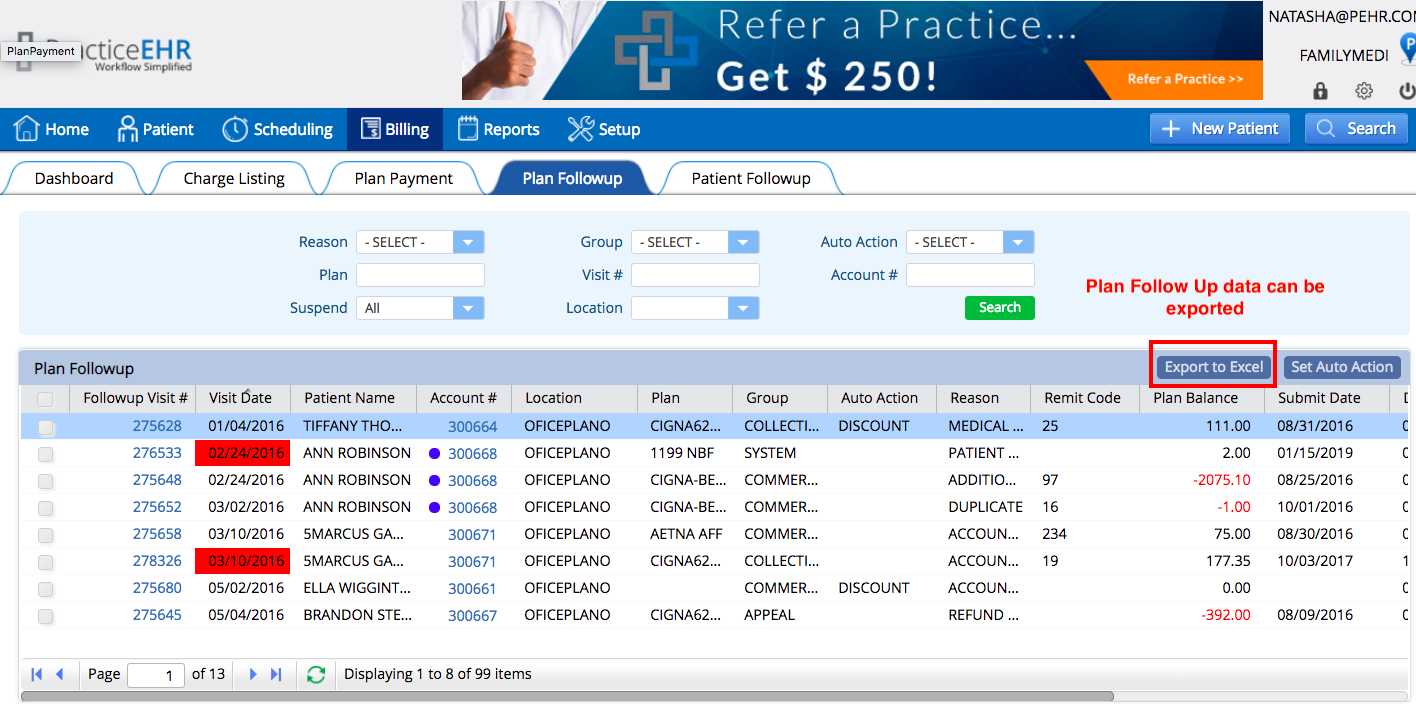
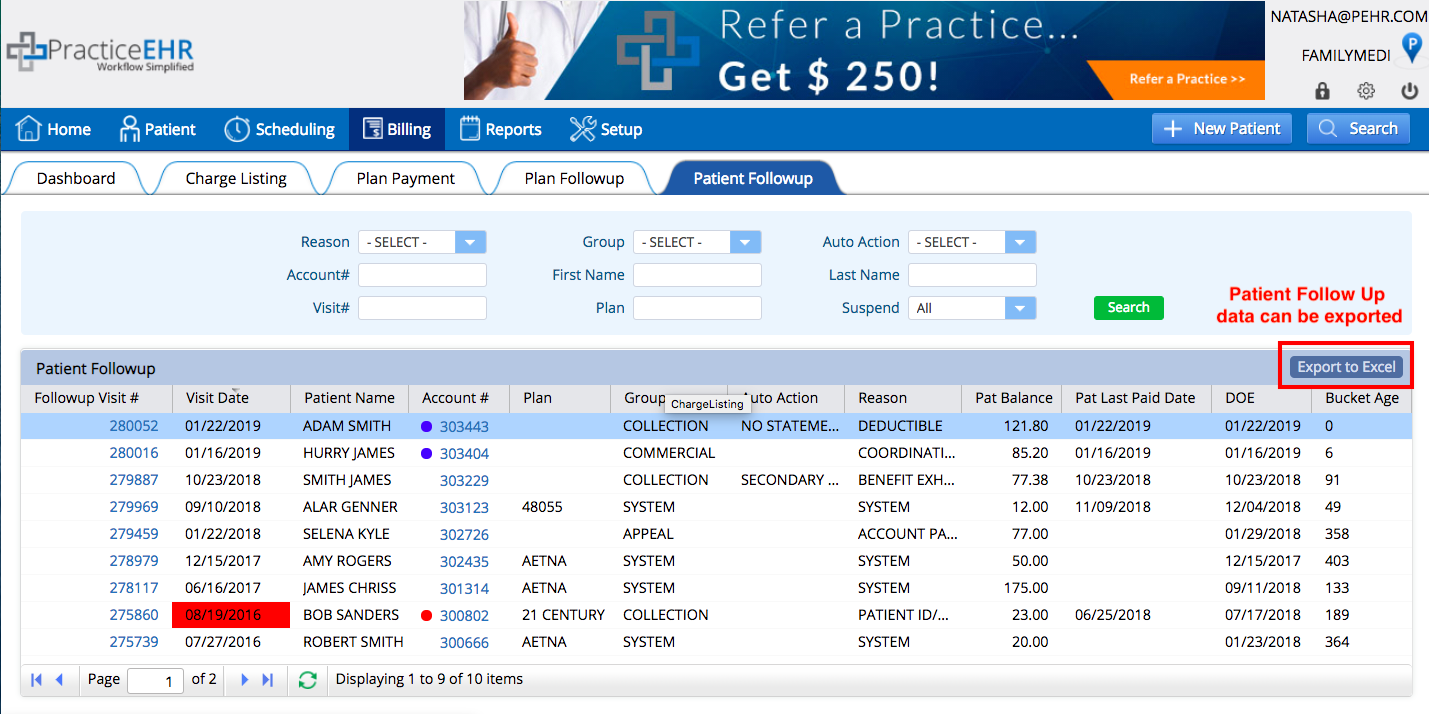
Export Plan and Patient Follow Up. An export to Excel button has been added to the plan and patient follow up section, giving you the ability to export that information as needed.
8. Billing
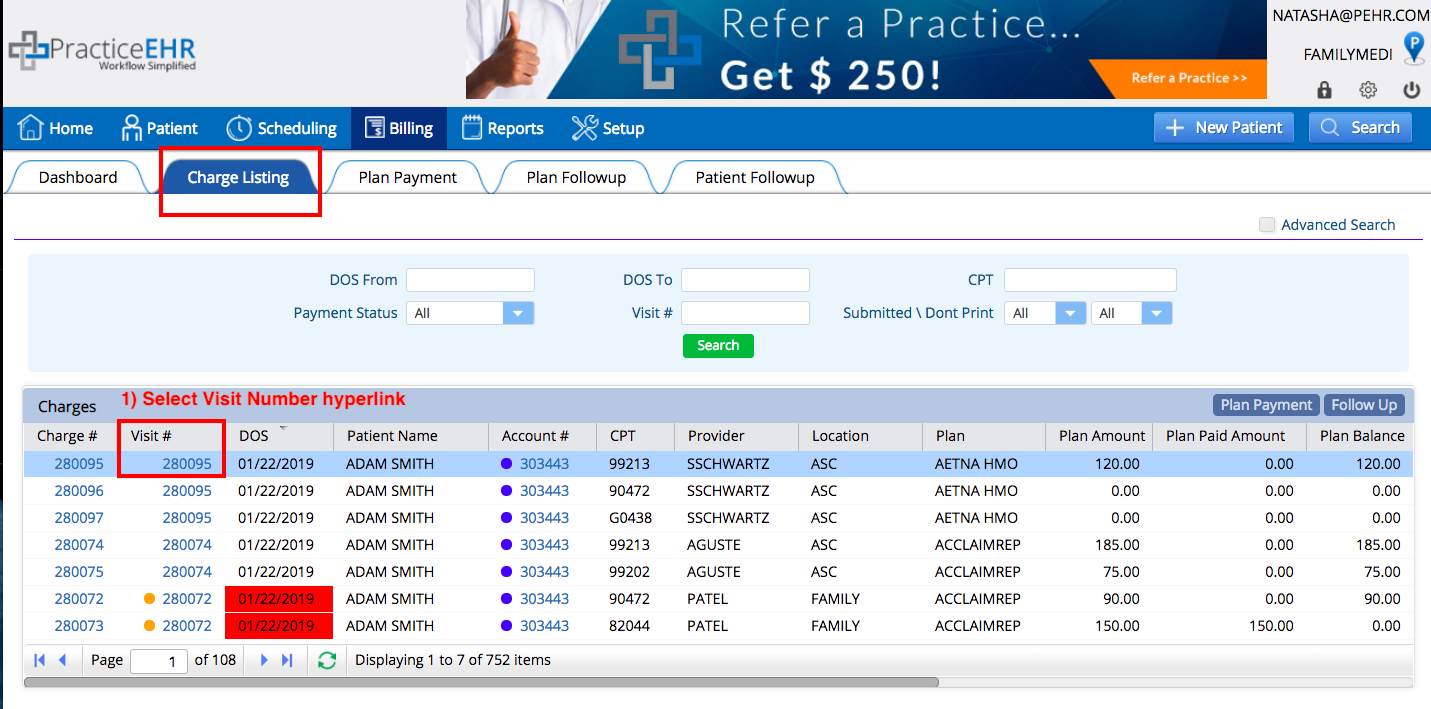
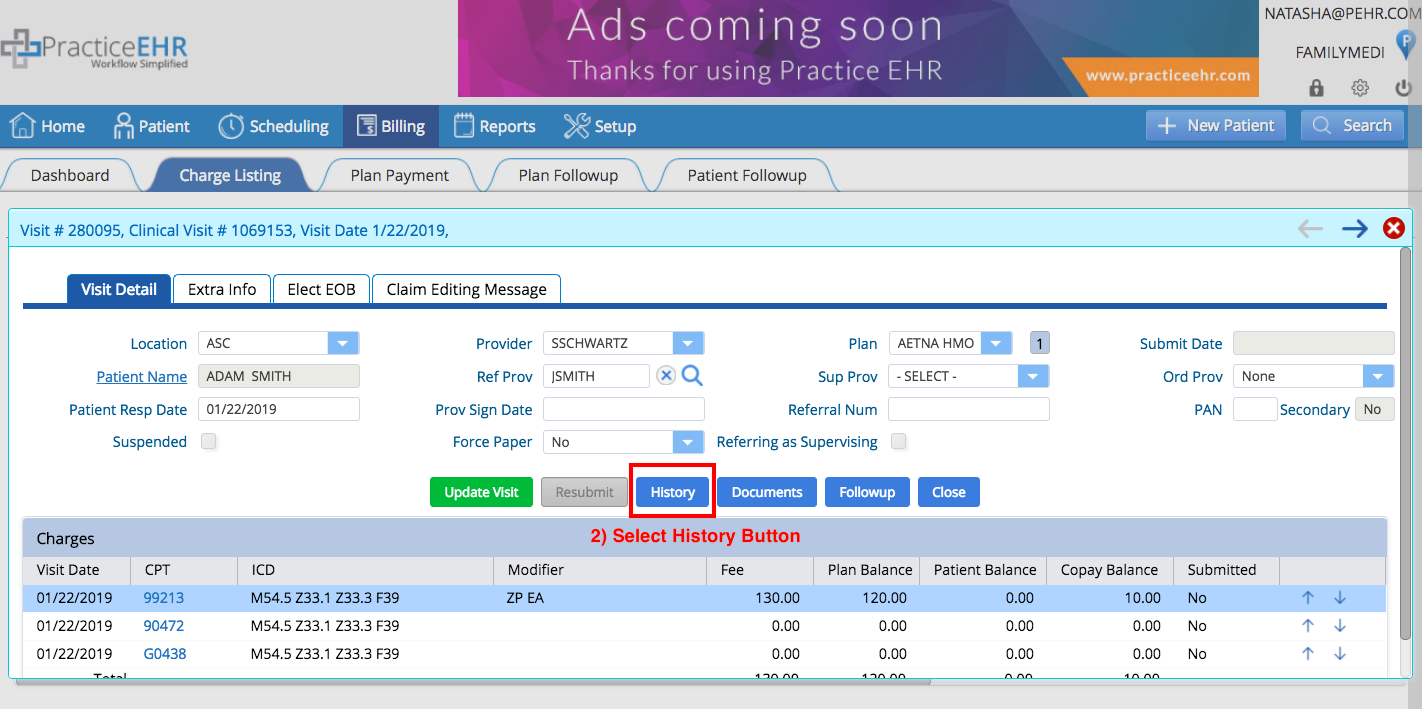
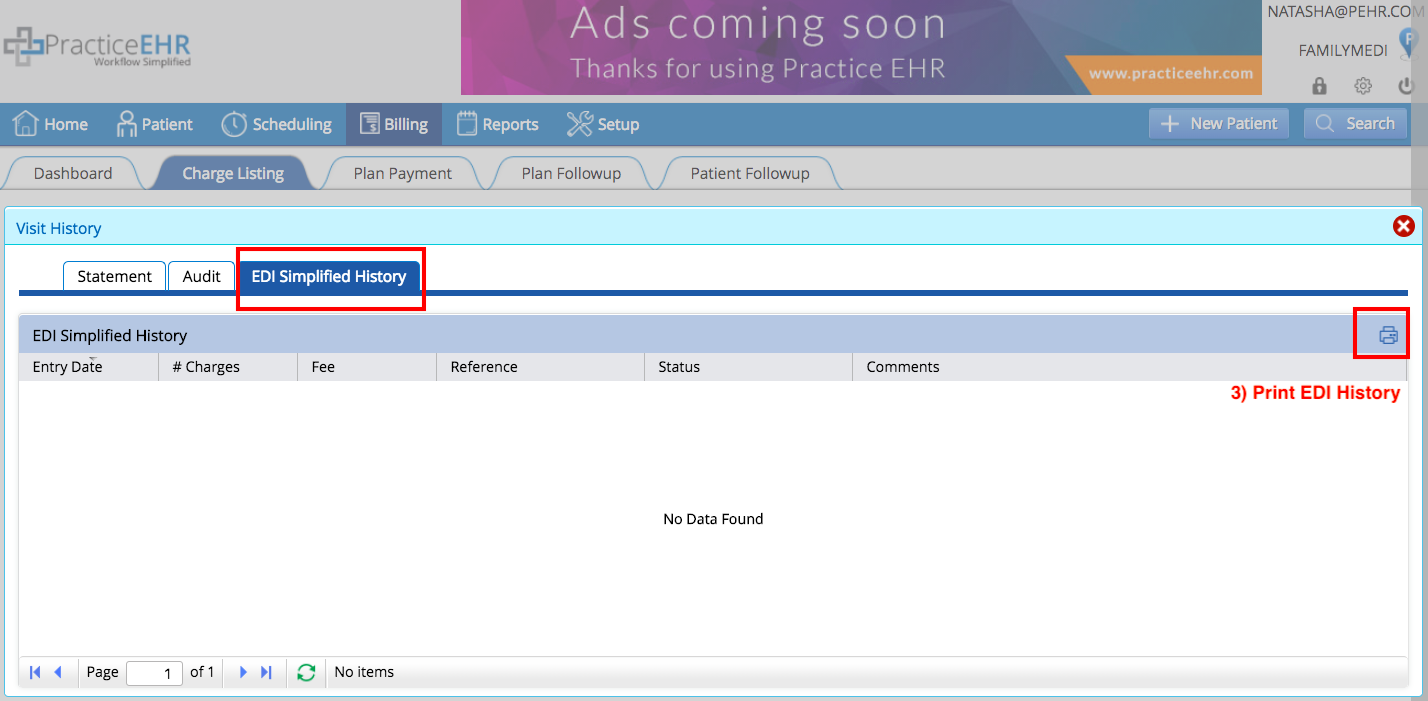
Print EDI history. A print button has been added in the visit detail, giving you the ability to print EDI history information as needed.
9. Billing
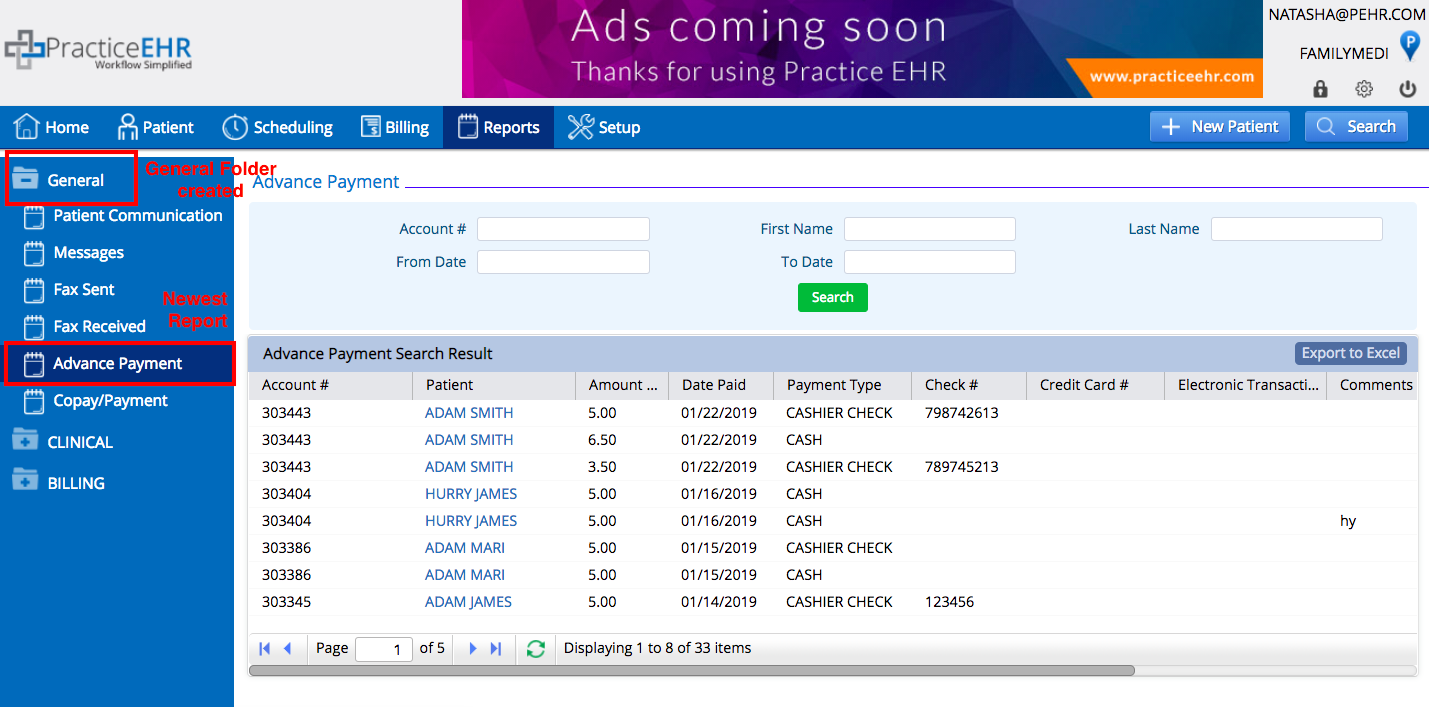
Redesign of reports section. We’ve reorganized the billing reports so that it’s easier to navigate. We’ve also added a “General Reports” section that includes a new Advance Payment Report.
10. Billing
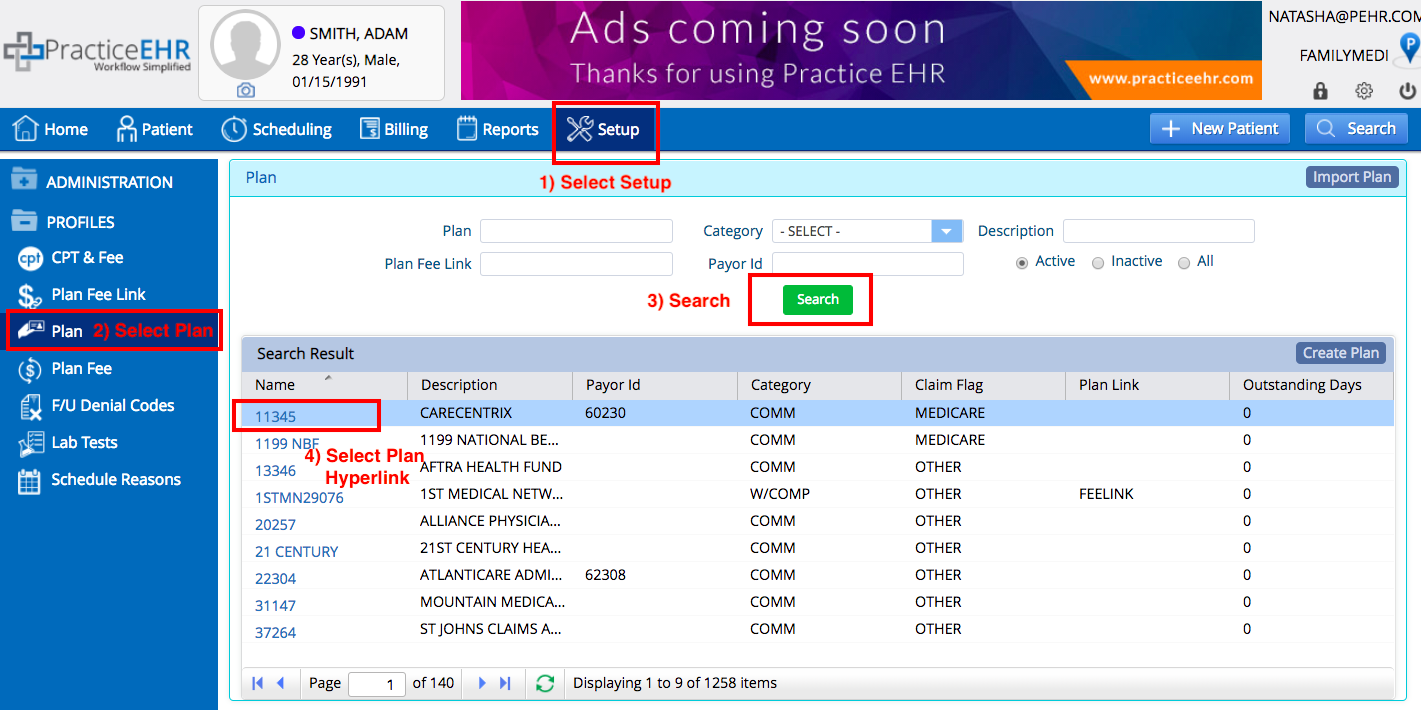
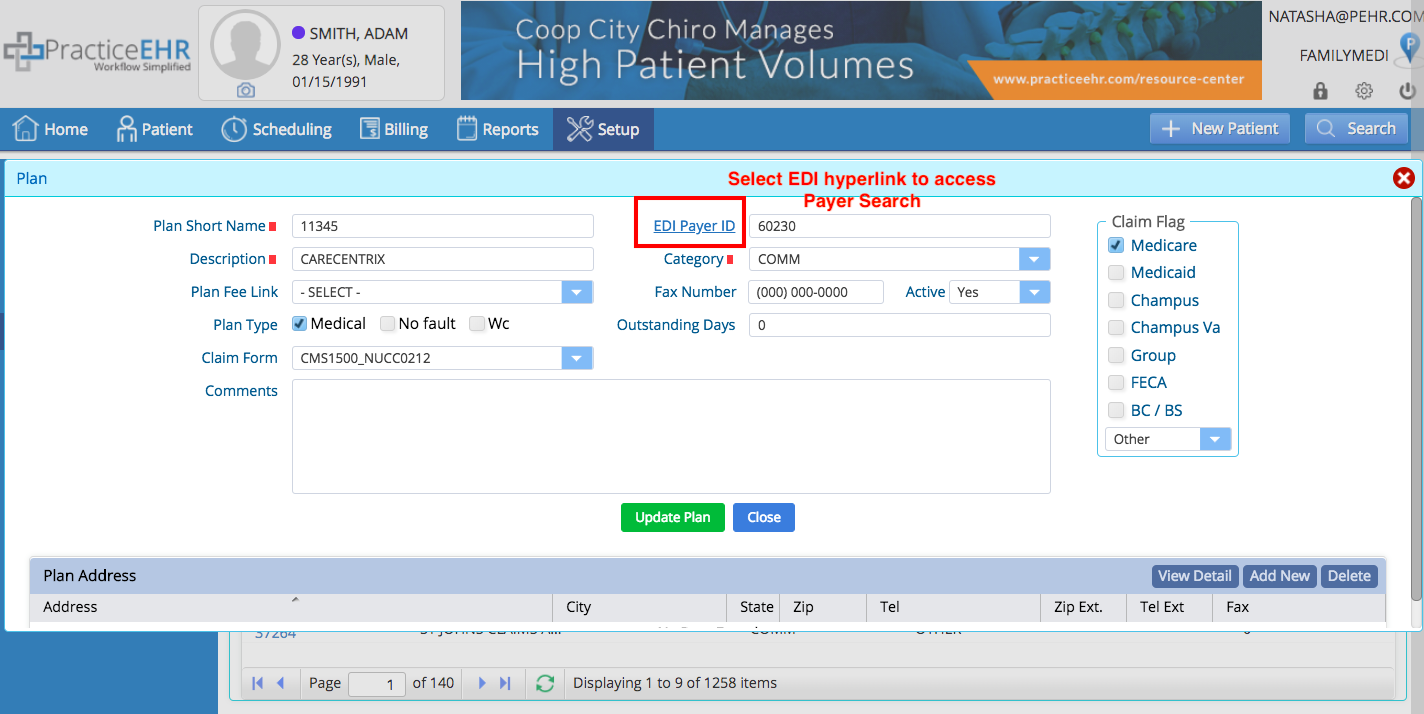
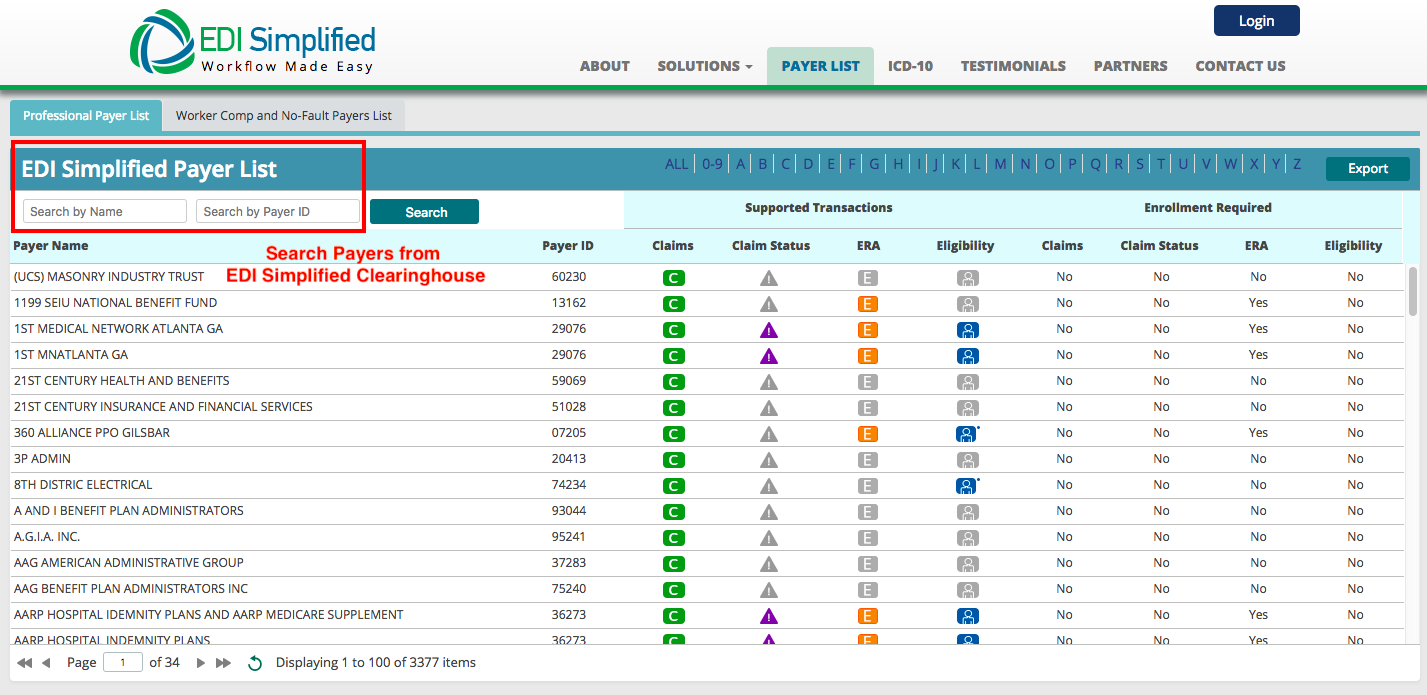
Access a list of payers. We’ve included a hyperlink so you can easily reference our EDI clearinghouse payer list. When searching for a plan go to: Set Up > Plan, then click on the hyperlink to access the EDI clearing house payer list.