
Overview of Updates – March 2019
Overview of Updates
- 1. Clinical – Find ICD-10 codes more efficiently.
- 2. Clinical – New code search functionality for invalid and non-billable codes.
- 3. Clinical – New billing flag for non-billable codes (optional).
- 4. Clinical – New search functionality for diagnoses.
- 5. Clinical – Use a quick search to navigate your drop down lists.
- 6. Clinical – Use macros in free-text areas.
- 7. Clinical – Prescribe multiple medications at once (optional).
- 8. General – View documents in a new tab.
- 9. Billing – Disable ICD-10 autofill (optional).
- 10. Billing – Export charge listing data.
- 11. Billing – Access a new visits tab under the plan follow up window.
- 12. Billing – View visit detail information quickly.
- 13. Billing – Organize your codes and modifiers.
- 14. Billing – New unapplied amount field.
- 15. Billing – If a copay is paid and the insurance doesn’t apply any amount towards the copay, then Practice EHR will create an adjusted ledger.
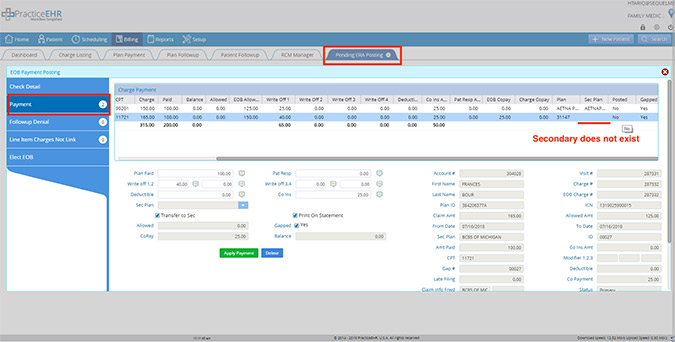
- 16. Billing – No line item will be posted when a secondary insurance doesn’t exist.
1. Clinical
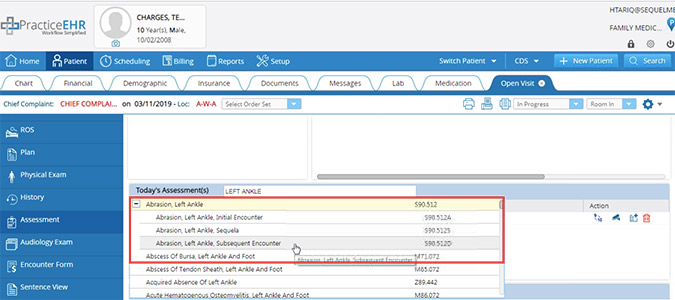
Find ICD-10 codes more efficiently. The assessment now groups diagnosis under their parent classification to make searching for ICD-10 codes more efficient.
2. Clinical
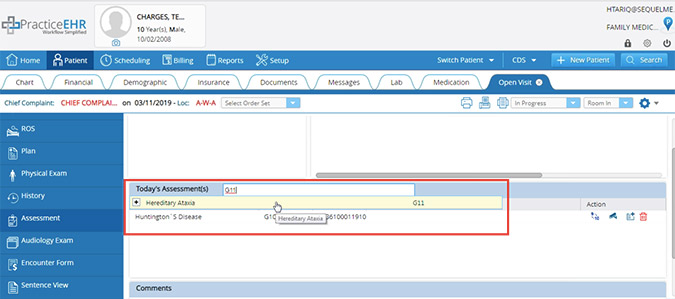
New code search functionality for invalid and non-billable codes. When searching for codes, all invalid and non-billable codes will now be highlighted in yellow.
3. Clinical
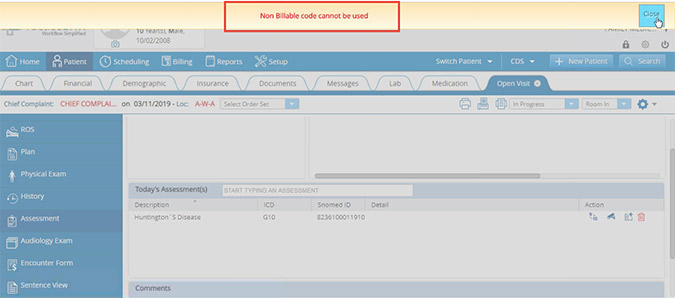
New billing flag for non-billable codes (optional). A new flag has been added, so that the following error message will appear: “Non-billable code cannot be used.” This flag is at the discretion of the user. Please contact your account manager if you’d like this flag turned on.
4. Clinical
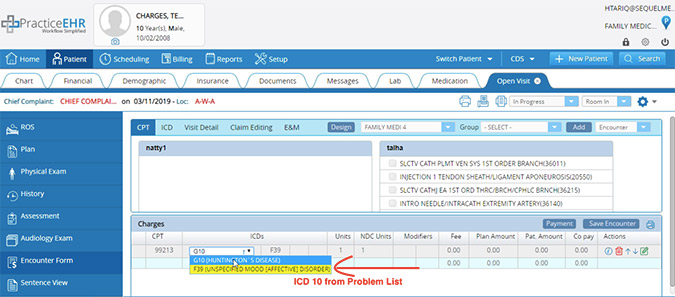
New search functionality for diagnoses. Under the ICD dropdown in the charges grid, diagnoses from the problem list will now be by highlighted in yellow.
5. Clinical
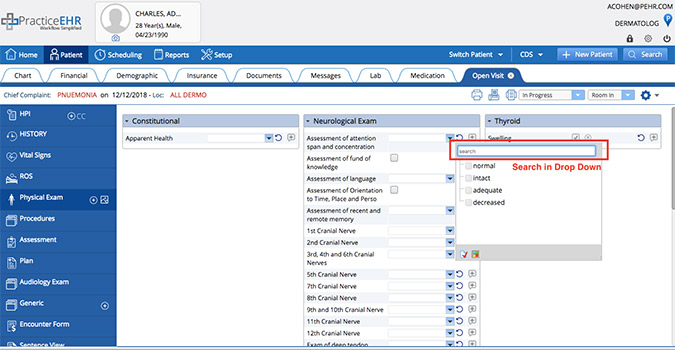
Use a quick search to navigate your drop down lists. There is a new search field available that allows you to quickly find what you’re looking for from your drop down/pick list.
6. Clinical
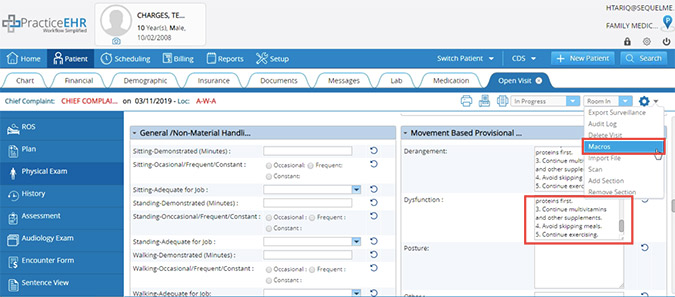
Use macros in free-text areas. You can now update free text areas by using macros.
7. Clinical
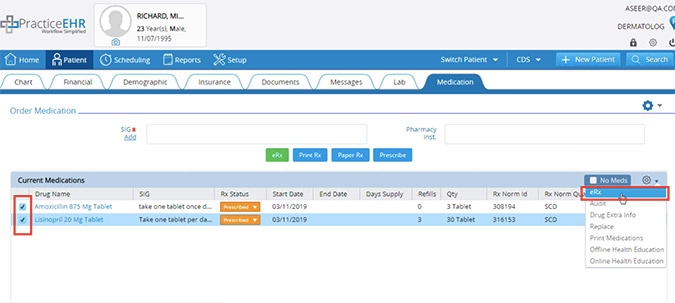
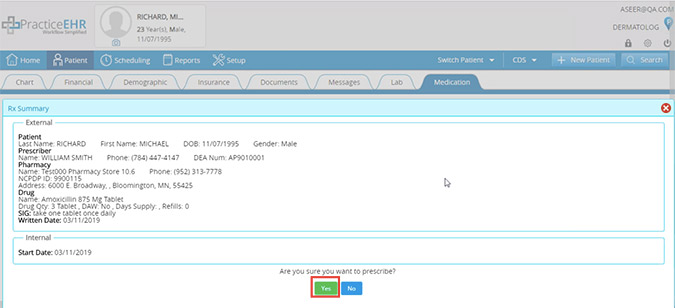
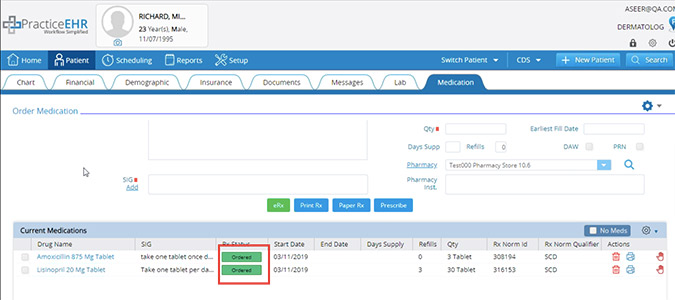
Prescribe multiple medications at once (optional). You can now select multiple medications at the same time to prescribe. Please contact your account manager if you’d like this functionality turned on.
8. General
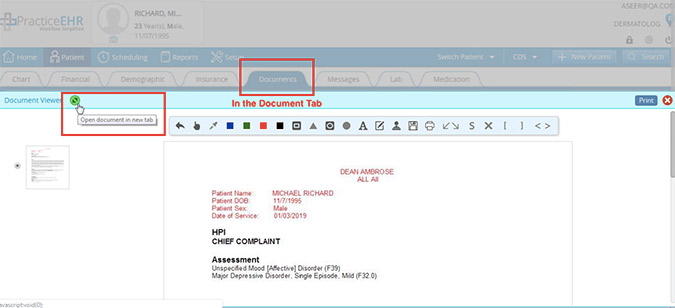
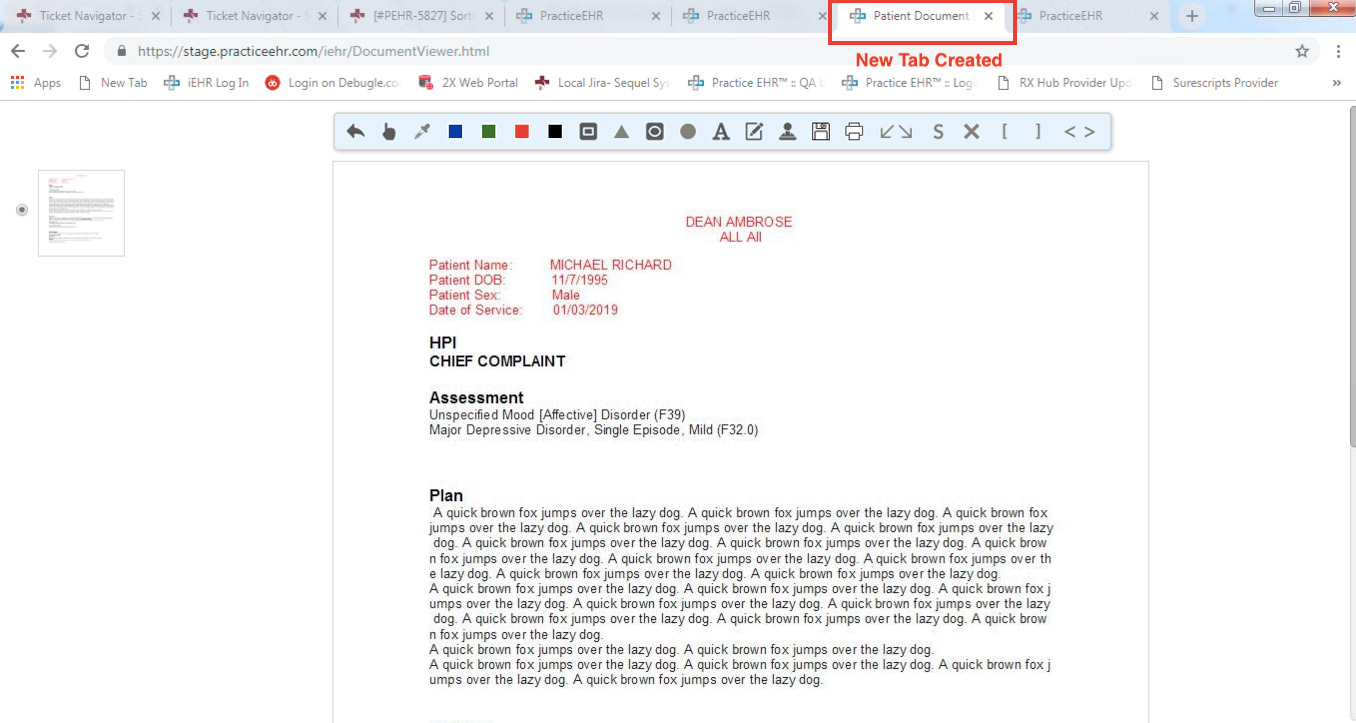
View documents in a new tab. You can now open/view a document in a separate tab by clicking on the green icon.
9. Billing
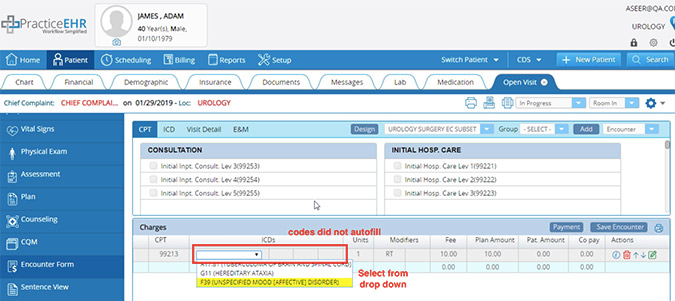
Disable ICD-10 autofill (optional). A flag has been added, so that ICD codes are not pulled forward from the assessment section. Then the assessments can be selected from the ICD drop down under charges on the Encounter From. This flag is at the discretion of the user. Please contact your account manager if you’d like this flag turned on.
10. Billing
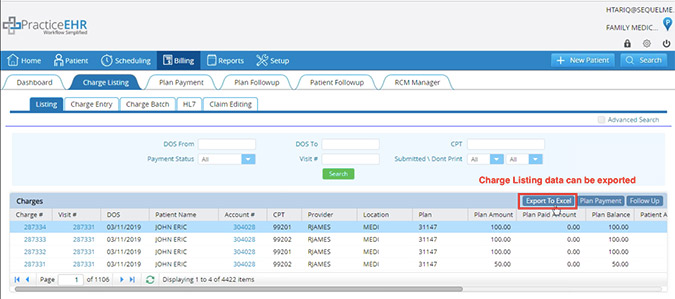
Export charge listing data. An export to Excel button has been added to the charge listing section, giving you the ability to export that information as needed.
11. Billing
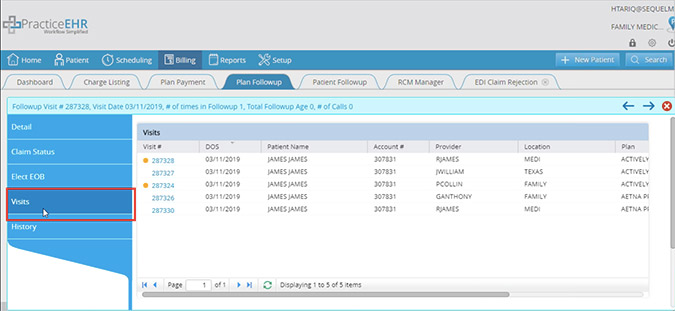
Access a new visits tab under the plan follow up window. A visits tab has been added to the plan follow up details section.
12. Billing
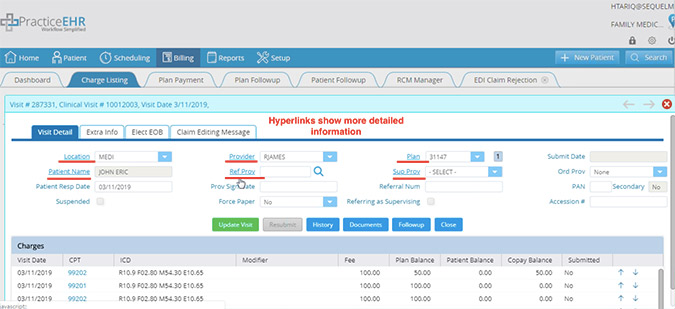
View visit detail information quickly. In the visit detail window, you can now access more visit detail information by simply clicking on the hyperlink.
13. Billing
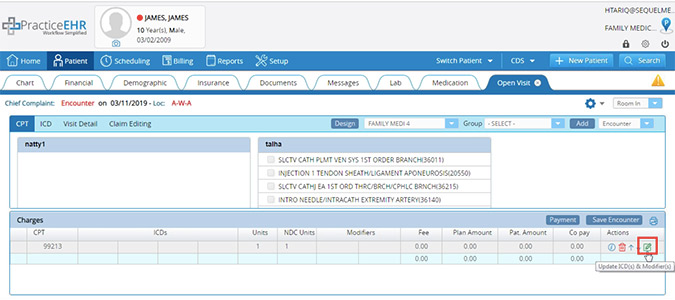
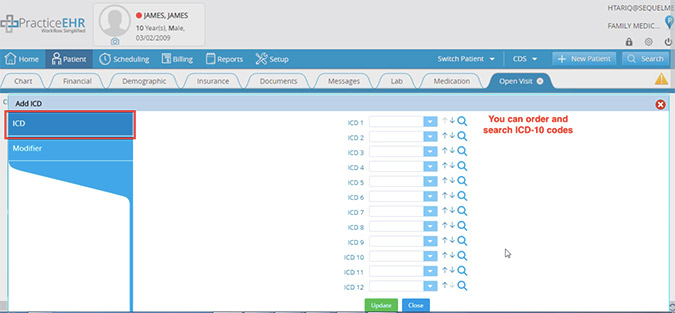
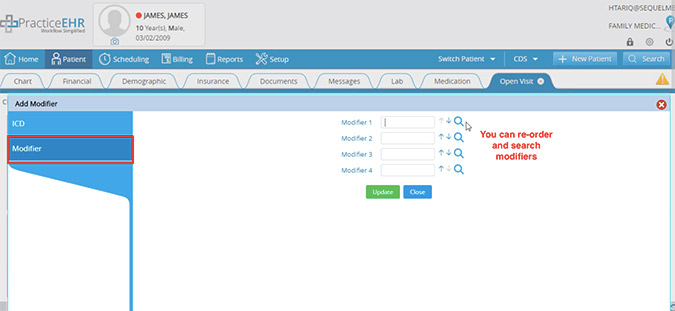
Organize your codes and modifiers. We’ve included new functionality that gives you the ability to update/reorder your ICD-10 codes and Modifiers.
14. Billing
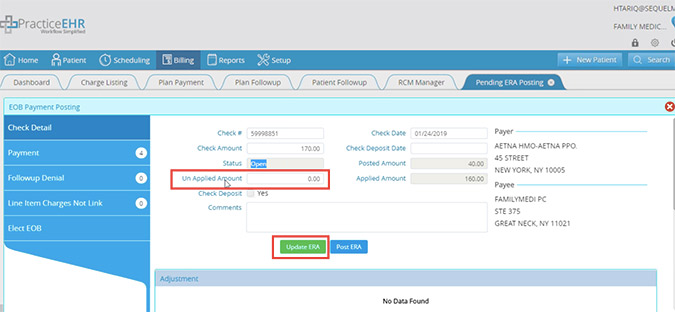
New unapplied amount field. An unapplied amount field is now available under the ERA check detail tab. If there is any unapplied amount in the ERA check tab that the user doesn’t want to post in the system, this field can be used. Click “Update ERA” to save changes.
15. Billing
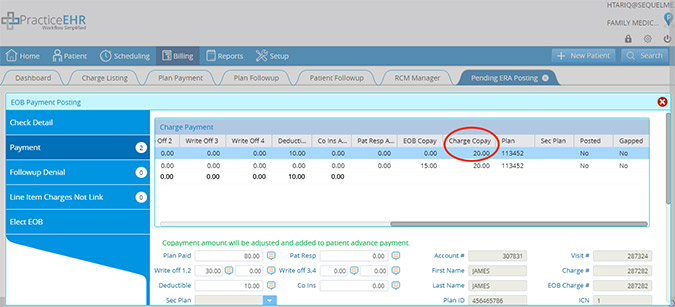
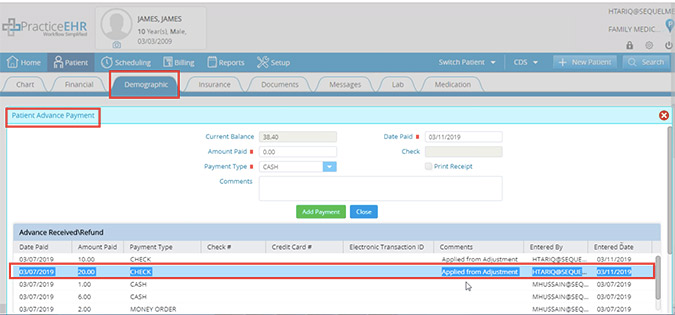
If a copay is paid and the insurance doesn’t apply any amount towards the copay, then Practice EHR will create an adjusted ledger. Paid copay will be moved to the advanced payment.
16. Billing
No line item will be posted when a secondary insurance doesn’t exist. Practice EHR will not post any ERA line item in case of crossover/gapped claims if secondary insurance doesn’t exist in the system.